
Building a team for your business? Want to make hiring less painful? If you’re using WordPress, you’re in luck. With the Job Manager WordPress Plugin, you can turn your website into a job-listing powerhouse without pulling your hair out.
TL;DR
The Job Manager WordPress plugin lets you post jobs, manage applications, and organize hiring—all from your website. It’s user-friendly, super customizable, and free to get started. No tech wizardry required. Just install, set up, and let candidates come to you.
Why Your Website Should Be a Hiring Tool
Your website is already the public face of your business. Why not turn it into a hiring machine as well?
Posting on third-party job boards is helpful. But those platforms come with downsides—extra fees, less control, and limited branding.
With your own job board on your website, you get:
- Complete control over the design and content
- Unlimited job posts without extra costs
- Stronger employer branding on every listing
- Seamless candidate experience that matches the rest of your site
And the best part? You don’t need to hire a developer to set it up. That’s where the Job Manager plugin comes in.
Meet the Job Manager WordPress Plugin
The Job Manager plugin is your best friend when it comes to internal hiring. It adds a full-featured job board to your WordPress website with just a few clicks. No coding. No stress.
Once installed and activated, the plugin creates everything you need automatically—job listings, application forms, and even filtering options for job seekers.
This plugin is perfect for:
- Startups and small businesses
- Freelancers looking to hire part-time help
- Non-profits with limited hiring budgets
- Agencies that routinely post new roles
Basically, if you want an efficient, DIY recruitment tool, this is your golden ticket.
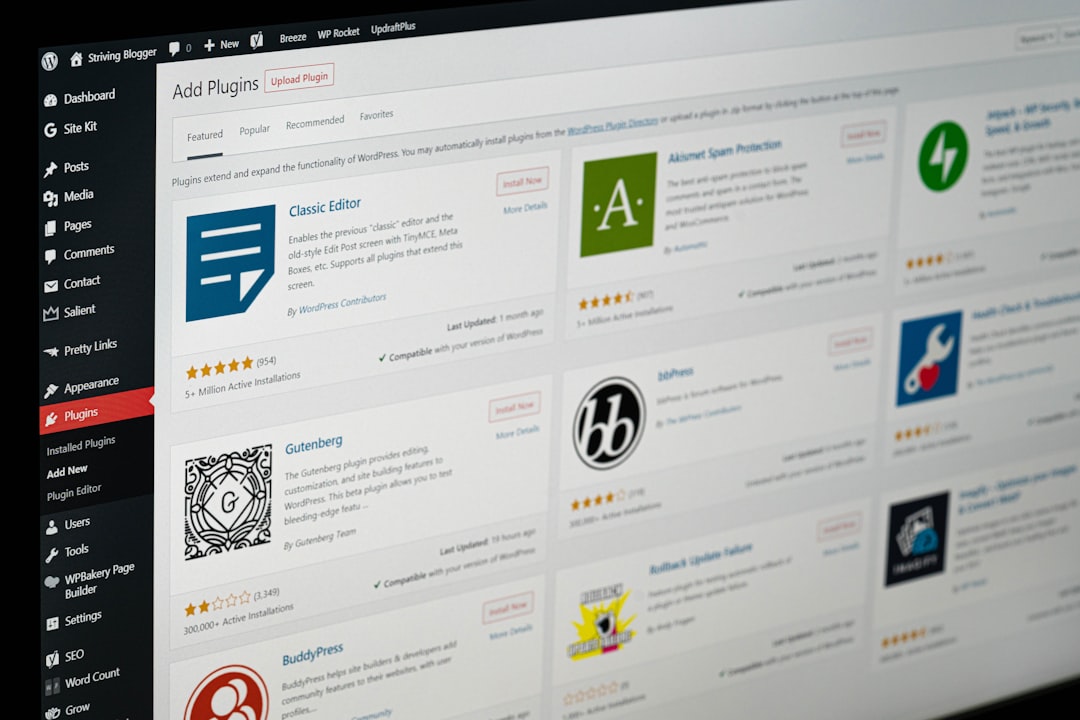
First Steps: Installing the Plugin
Let’s walk through the setup. It takes under 10 minutes (maybe 5 if you’re quick).
- Log into your WordPress dashboard.
- Go to Plugins → Add New.
- Search for “WP Job Manager”.
- Click Install, then Activate.
That’s it! You’ve just armed your website with hiring power.
Creating Your First Job Post
To make your first job listing, look in the WordPress dashboard for the new Job Listings menu. Click Add New.
You’ll see fields like:
- Job Title: What role are you hiring for?
- Description: Use bullets, bold text, or even videos.
- Location: Is the role remote or in-office?
- Type: Full time, part time, freelance?
Preview it. If you like what you see, hit Publish. Boom. It’s live.
Organizing Jobs Like a Pro
Got multiple positions open? No problem. The plugin lets you group your job posts by type, location, or department.
For example:
- Show only “Remote” jobs
- Filter by “Engineering” or “Marketing” departments
- Use search to find a specific job title
Visitors can explore listings with dropdowns and filters. Smooth, simple, and super intuitive.
Collecting Applications Effortlessly
No more checking random email inboxes or risking lost resumes.
The default application form asks for name, email, a message, and a resume upload. That’s enough to get started. Want more fields? There are add-ons and custom solutions you can plug in to capture anything you want – even video cover letters if you’re feeling fancy.
Image not found in postmeta
More Customization Than a Cup of Coffee at Starbucks
Here’s where it gets fun. The Job Manager plugin is like a base layer. You can customize it to fit your style and needs. For example:
- Change colors and fonts to match your brand
- Embed listings anywhere with shortcodes
- Use custom taxonomies to group jobs differently
- Add application tracking with extensions
Even better? If you’ve got a developer on your team, the plugin is developer-friendly with hooks and filters to take it to the next level.
Add-Ons That Boost the Magic
The free version is powerful on its own. But if you want to upgrade your hiring game, check out some add-ons:
- Resume Manager: Create a resume bank of candidates
- Applications Add-On: Manage applications right in WordPress
- Email Alerts: Allow candidates to subscribe to new postings
- Job Alerts: Job seekers get notified when something matches
This makes your hiring more automated and less chaotic. Who doesn’t want that?
The Hiring Page Makeover
If your current careers page is a bland “Email us your resume” page, this plugin will level it up in seconds.
Imagine a sleek, professional-looking job board that pulls people in. You’ll look more legit, more trustworthy, and more capable of hiring top talent. That matters—a lot.
Don’t Forget Mobile Users
Over 50% of your candidates are probably visiting from their phones. The good news? The Job Manager plugin is mobile-responsive out of the box.
No extra work needed.
It’s Not Just for Techies
This is where a lot of people get nervous. “Do I have to know code?” Nope.
The interface is clean and beginner-friendly. Adding or editing a job is just like writing a blog post. If you can use WordPress, you can use this plugin like a pro.
Success Stories (The Good Kind)
Thousands of businesses—from indie studios to ecommerce shops—are already using this plugin. They’ve hired copywriters, marketers, developers, virtual assistants, and more.
You won’t find complex software, expensive subscriptions, or overwhelming hoops to jump through here. Just click, write, post. Done.
Final Thoughts: No More Hiring Headaches
The Job Manager WordPress plugin simplifies the hiring process. It saves time, money, and sanity. You already have a website. Why not use it to attract great candidates?
Whether you’re hiring your first intern or building a full dream team, this plugin helps make everything smoother.
Install it today, and your hiring headaches will thank you tomorrow.
Quick Recap
- Free and easy to install
- No coding required
- Customizable job listings and filters
- Application forms built-in
- Optional add-ons for extra superpowers
- Mobile-friendly and ready to roll
So go ahead—make your WordPress site a hiring machine. Totally tears-free.