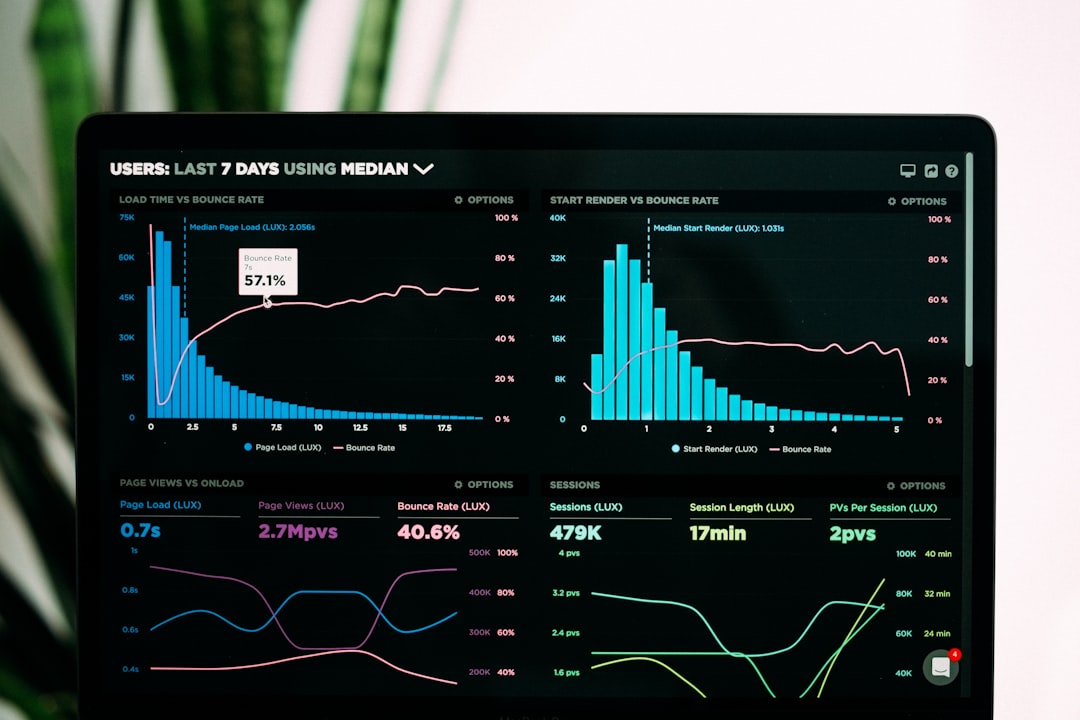
Remote work has made productivity more visible in some ways and more difficult to understand in others. A manager may see completed tasks, meeting attendance, and response times, but those signals rarely tell the full story of focus, workload, collaboration, or output quality. For remote teams, the best productivity tracking tools are not simply surveillance platforms; they are systems that help teams plan work, reduce friction, measure progress, and protect time for meaningful results.
TLDR: The best tools for tracking productivity across remote teams combine task management, time tracking, communication insights, and performance analytics. Platforms such as Asana, ClickUp, Trello, Jira, Toggl Track, Time Doctor, Slack, Microsoft Teams, and Notion help organizations understand what work is happening and where teams need support. The most effective approach is to measure outcomes rather than activity alone, while keeping employee privacy and trust at the center.
Why Productivity Tracking Matters for Remote Teams
In a traditional office, leaders often rely on informal visibility: a quick desk conversation, a project board in a conference room, or a sense of who is overloaded. Remote work removes many of these signals, which means teams need better systems for coordination. Productivity tracking tools help managers identify bottlenecks, clarify responsibilities, and ensure that important work does not disappear inside email threads or scattered chat messages.
However, productivity tracking must be handled carefully. A tool that only counts keystrokes, screenshots, or online status can create mistrust and encourage performative work. A healthier approach focuses on deliverables, deadlines, workload balance, collaboration quality, and time spent on high-value activities. When used well, productivity tools make remote work more transparent without making employees feel watched every minute.
1. Asana: Best for Structured Project and Task Management
Asana is one of the strongest tools for teams that need clear project ownership, deadlines, and workflow visibility. It allows remote teams to create tasks, subtasks, dependencies, timelines, calendars, and project dashboards. Managers can see which projects are on track and which tasks are overdue without constantly interrupting employees for updates.
Asana is especially useful for marketing teams, operations groups, product launches, and cross-functional initiatives. Its workload view helps leaders understand whether certain employees are carrying too many tasks, which is essential in remote environments where burnout may not be obvious. For organizations that value structure and accountability, Asana provides a reliable foundation.
- Best for: Project planning, task ownership, workflow visibility
- Useful features: Timelines, dependencies, workload view, reporting dashboards
- Potential limitation: It can become complex if teams do not maintain consistent task hygiene

2. ClickUp: Best All-in-One Productivity Platform
ClickUp is a versatile productivity platform that combines task management, documents, goals, dashboards, time tracking, whiteboards, and automation. For remote teams that want to reduce the number of tools they use, ClickUp can serve as a central workspace.
Its customizable views make it appealing to teams with different working styles. A manager may prefer a Gantt chart, while a developer may prefer a Kanban board and a content team may prefer a calendar. ClickUp also includes goal tracking, which helps teams connect daily tasks to larger business outcomes.
The platform is powerful, but that flexibility can create noise if it is not configured carefully. Remote teams that adopt ClickUp should create clear naming conventions, templates, and workspace rules to avoid confusion.
3. Trello: Best for Simple Visual Workflows
Trello is ideal for teams that want a lightweight and visual way to track work. Its card-and-board system is easy to understand, making it a good fit for small remote teams, freelancers, agencies, and creative workflows. A simple Trello board can show what is planned, in progress, under review, and completed.
While Trello may not offer the depth of advanced project management platforms, its simplicity is its greatest strength. Remote teams that struggle with tool adoption often benefit from Trello because employees can understand it quickly. Power-ups and integrations can extend its functionality with calendars, automation, and reporting.
4. Jira: Best for Software Development Teams
Jira remains a leading productivity and project tracking tool for engineering, product, and software development teams. It supports agile workflows such as Scrum and Kanban, sprint planning, backlog management, issue tracking, and release reporting.
For remote development teams, Jira provides clear visibility into sprint progress, blockers, bug resolution, and development velocity. Leaders can review burndown charts, cycle time, and issue status to understand performance trends. Its reporting capabilities are particularly valuable for teams that need detailed technical project data.
Jira can feel overwhelming for nontechnical teams, so it works best when configured by someone who understands agile workflows. When used properly, it gives distributed engineering teams a shared source of truth.
5. Toggl Track: Best for Lightweight Time Tracking
Toggl Track is a popular time tracking tool known for its clean interface and ease of use. It helps remote employees log how much time they spend on clients, projects, tasks, or internal work. This is especially valuable for agencies, consultants, freelancers, and professional services firms that need accurate billing or profitability analysis.
Toggl Track is less invasive than many employee monitoring platforms. It focuses on time entries and reports rather than heavy surveillance. Managers can use the data to understand where time is going, estimate projects more accurately, and identify tasks that consume too many hours.
- Best for: Simple time tracking and project cost analysis
- Useful features: Timers, reports, billable hours, project tags
- Potential limitation: Accuracy relies on employees tracking time consistently
6. Time Doctor: Best for Detailed Productivity and Time Analytics
Time Doctor offers more advanced time tracking and productivity analytics. It can track time spent on tasks, websites, applications, and projects. Some organizations use it to monitor attendance, work patterns, and productivity trends across distributed teams.
This tool can be useful for companies with hourly employees, outsourced teams, or roles where time accountability is essential. However, leaders should use it with transparency. Employees should know what is being tracked, why it is being tracked, and how the data will be used. When the emphasis is on improving workflows rather than policing behavior, Time Doctor can provide helpful operational insight.

7. Clockify: Best Free Time Tracking Option
Clockify is a strong option for organizations that need time tracking without a large budget. It supports timers, timesheets, reports, project tracking, and team management. Many remote teams use it to track billable work, internal productivity, and employee capacity.
Its free plan is generous, which makes it attractive for startups and small businesses. While it may not have all the advanced analytics of premium alternatives, it provides enough functionality for many teams to understand how work hours are being allocated.
8. Slack: Best for Communication Visibility and Workflow Automation
Slack is not a traditional productivity tracker, but it plays a major role in remote productivity. It centralizes communication through channels, direct messages, integrations, and workflow automation. When organized well, Slack reduces email clutter and makes collaboration faster.
Slack can also support productivity tracking through integrations with tools such as Asana, Jira, Trello, GitHub, and Google Calendar. Automated reminders, daily standup bots, and project notifications help teams stay aligned without adding more meetings. However, Slack can also become a distraction if teams do not set norms around response times, channel use, and notification management.
9. Microsoft Teams: Best for Organizations Using Microsoft 365
Microsoft Teams is a natural choice for organizations already using Microsoft 365. It combines chat, video meetings, file sharing, and app integrations. Teams works closely with SharePoint, Outlook, OneDrive, Planner, and Microsoft Viva, giving organizations a connected productivity ecosystem.
For remote teams, Microsoft Teams helps centralize conversations, documents, and meetings. Managers can use Microsoft Planner or Project alongside Teams to monitor task progress. Microsoft Viva can also provide insights into meeting load, collaboration patterns, and employee experience, although organizations should use these insights responsibly and avoid overinterpreting individual behavior.
10. Notion: Best for Knowledge Management and Team Documentation
Notion helps remote teams organize knowledge, processes, project notes, wikis, and lightweight task databases. Productivity often suffers when employees cannot find information. Notion solves this by creating a shared workspace for documentation and planning.
Remote teams can use Notion to store onboarding guides, meeting notes, roadmaps, editorial calendars, standard operating procedures, and decision logs. While it is not always the strongest choice for complex project management, it is excellent for reducing repeated questions and preserving institutional knowledge.
11. Monday.com: Best for Custom Workflow Tracking
Monday.com provides colorful, customizable boards that help teams track projects, campaigns, operations, sales pipelines, and internal processes. Its dashboards make it easy to visualize progress, workload, deadlines, and status updates.
For remote teams, Monday.com is valuable because it can be adapted to many departments. Human resources may use it for onboarding, sales may use it for deal tracking, and marketing may use it for campaign planning. Its automation features reduce manual updates and help teams keep workflows moving.
12. 15Five and Lattice: Best for Performance and Engagement Tracking
Productivity is not only about tasks and hours. It is also influenced by motivation, clarity, feedback, and professional growth. 15Five and Lattice help organizations track performance conversations, goals, engagement, one-on-one meetings, and employee sentiment.
These tools are useful for remote teams because they create structured feedback loops. Managers can identify morale issues, unclear priorities, and development needs before they become serious problems. They also help connect individual goals to company objectives, which is important when employees are not physically gathered in one office.
13. Loom and Miro: Best for Asynchronous Collaboration
Loom allows employees to record quick video explanations, updates, walkthroughs, and presentations. This reduces unnecessary meetings and helps remote teams communicate with more context. A product manager, for example, can record a feature explanation instead of scheduling another call.
Miro supports visual collaboration through online whiteboards, diagrams, brainstorming boards, and planning templates. It is useful for remote workshops, design thinking sessions, process mapping, and strategy planning. Together, Loom and Miro improve productivity by making collaboration more flexible and less dependent on live meetings.

How to Choose the Right Productivity Tracking Tool
The best tool depends on the team’s size, workflow, culture, and goals. A small creative team may only need Trello and Slack, while a global engineering organization may require Jira, Microsoft Teams, and Power BI dashboards. Before choosing a tool, leaders should define what they actually need to measure.
- For task visibility: Asana, ClickUp, Trello, Monday.com, Jira
- For time tracking: Toggl Track, Clockify, Harvest, Time Doctor
- For communication: Slack, Microsoft Teams, Google Workspace
- For documentation: Notion, Confluence, Google Docs
- For engagement and performance: 15Five, Lattice, Microsoft Viva
- For async collaboration: Loom, Miro, FigJam
Organizations should also consider integrations. A productivity tool becomes far more valuable when it connects with calendars, communication platforms, file storage, and reporting systems. The fewer times employees have to duplicate updates across platforms, the more accurate and useful the data becomes.
Best Practices for Tracking Productivity Without Damaging Trust
Remote productivity tracking should be transparent, fair, and outcome-focused. Employees should understand which metrics are being collected and how those metrics support better planning. Hidden monitoring or excessive surveillance can reduce morale and encourage employees to optimize for appearances rather than results.
Leaders should focus on completed work, quality, collaboration, customer impact, and goal progress. Activity metrics such as hours online or messages sent may provide context, but they should not become the main definition of productivity. A thoughtful employee who spends three focused hours solving a difficult problem may be more productive than someone who appears active all day.
It is also important to review workload data regularly. If productivity tools show missed deadlines, the issue may be unclear priorities, too many meetings, poor documentation, or understaffing. The best managers use productivity data to remove obstacles, not simply to demand more output.
Conclusion
The best tools for tracking productivity across remote teams are those that create clarity, support collaboration, and help employees do better work. Asana, ClickUp, Jira, Trello, Monday.com, Toggl Track, Time Doctor, Clockify, Slack, Microsoft Teams, Notion, Loom, Miro, 15Five, and Lattice each solve different parts of the remote productivity challenge.
No single platform can replace good leadership, clear priorities, and a culture of trust. The most successful organizations combine the right tools with thoughtful processes and respectful measurement. When productivity tracking is used to improve outcomes rather than monitor every movement, remote teams can become more focused, accountable, and resilient.
FAQ
What is the best overall productivity tracking tool for remote teams?
ClickUp is often a strong all-in-one option because it includes tasks, documents, goals, dashboards, and time tracking. However, the best choice depends on the team’s workflow and complexity.
Which tool is best for remote software development teams?
Jira is usually the best choice for software development teams because it supports agile planning, sprint tracking, issue management, and detailed development reports.
What is the best free time tracking tool?
Clockify is one of the best free time tracking tools. It offers timers, timesheets, project tracking, and reports that work well for small businesses and remote teams.
Should remote teams track employee activity?
Remote teams may track activity when it is relevant, but they should prioritize outcomes over constant monitoring. Transparent policies and respect for privacy are essential.
What metrics are most useful for remote productivity?
The most useful metrics include completed tasks, project progress, deadline reliability, workload balance, quality of output, customer impact, and goal achievement.
Can productivity tools reduce meetings?
Yes. Tools such as Asana, Notion, Loom, Slack, and Miro can reduce meetings by making updates, documentation, and collaboration available asynchronously.