Email marketing automation software has become an essential tool for businesses seeking to manage campaigns efficiently, nurture leads effectively, and scale communication without sacrificing personalization. As customer expectations continue to rise, marketers are under increasing pressure to deliver the right message at the right time. Automation platforms provide the technology and structure needed to orchestrate these interactions while maintaining consistency and measurable results.
TLDR: Email marketing automation software helps businesses streamline campaigns, segment audiences, and personalize communication at scale. It improves efficiency by automating repetitive tasks such as welcome sequences, follow-ups, and abandoned cart reminders. Advanced analytics and integrations allow marketers to track performance and refine strategies. Ultimately, automation boosts engagement, conversions, and long-term customer relationships.
Modern organizations rely on automation platforms not only to send emails but also to manage complex customer journeys. These systems combine scheduling, segmentation, analytics, and personalization into one centralized interface. By doing so, they transform traditional mass email marketing into a data-driven, behavior-based strategy.
What Is Email Marketing Automation Software?
Email marketing automation software is a digital platform designed to create, schedule, send, and analyze email campaigns automatically based on predefined triggers and workflows. Instead of manually sending individual messages, marketers configure rules that activate emails in response to user actions such as:
- Signing up for a newsletter
- Downloading a resource
- Making a purchase
- Abandoning a shopping cart
- Clicking a specific link
This automation reduces manual effort while ensuring consistent communication across large audiences.
Core Features of Campaign Management Platforms
Most email marketing automation systems share a set of fundamental features that enable effective campaign management.
1. Workflow Automation
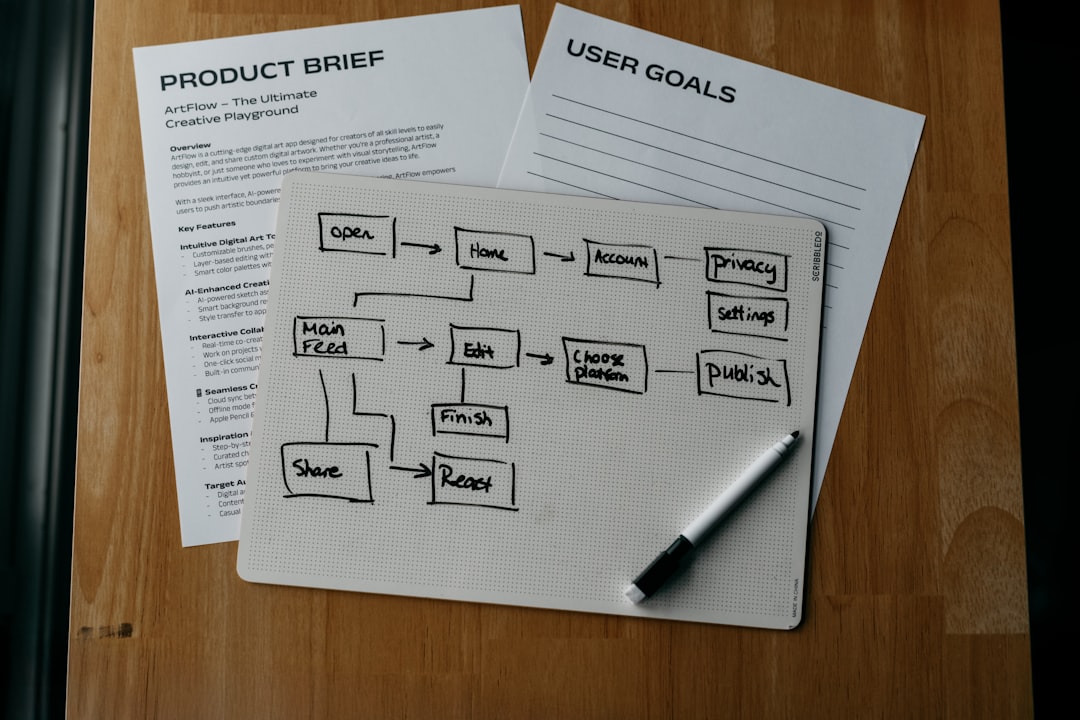
Workflows allow marketers to design multi-step journeys that guide subscribers through a structured communication path. These workflows are often visual, enabling drag-and-drop configuration of triggers, conditions, and actions.
For example, a workflow might look like this:
- User subscribes
- Welcome email is sent immediately
- Two days later, an educational email is sent
- If the user clicks a product link, a promotional offer follows
2. Audience Segmentation
Segmentation enables marketers to divide contacts into targeted groups based on demographics, behavior, purchase history, or engagement level. Instead of sending the same message to everyone, businesses can tailor emails for maximum relevance.
Personalized messaging significantly increases open rates, click-through rates, and conversions.
3. Personalization Tools
Automation platforms allow insertion of personalized data such as first names, company details, or recommended products. Advanced systems use behavioral data to dynamically adjust content in real time.
4. Campaign Analytics and Reporting
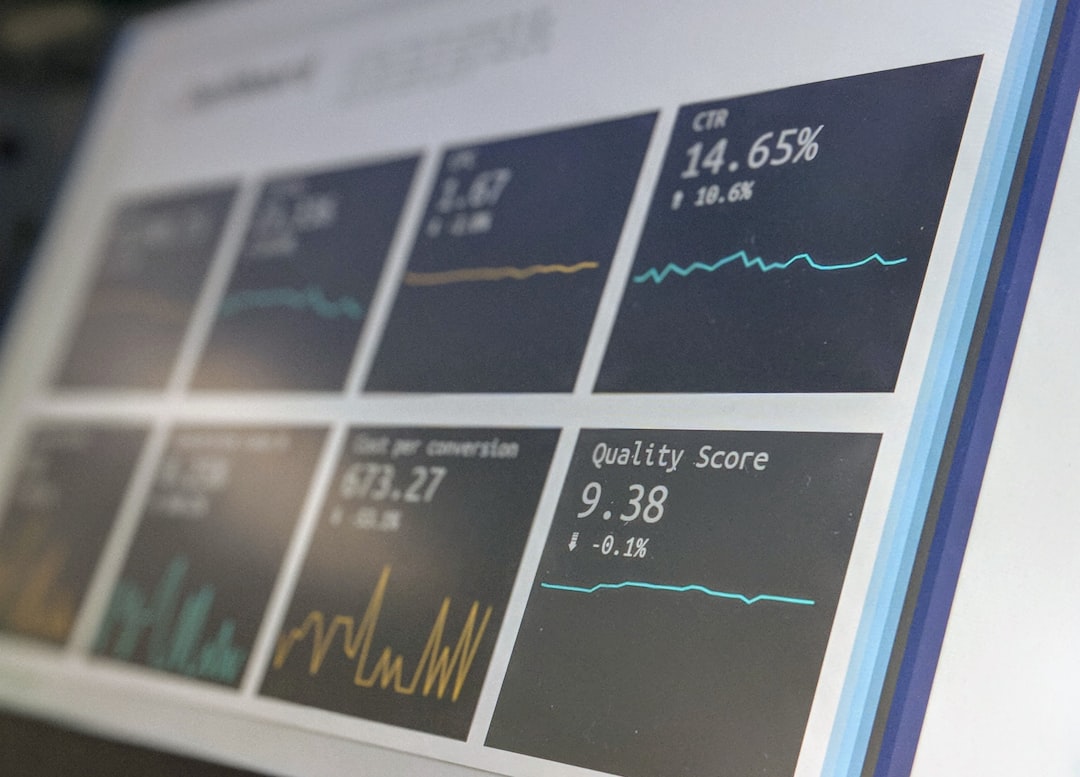
Robust reporting tools provide insights into:
- Open rates
- Click-through rates
- Conversion rates
- Unsubscribe rates
- Revenue attribution
These insights allow marketers to identify strengths and weaknesses within campaigns and optimize accordingly.
Benefits of Using Automation Software
Email marketing automation delivers numerous advantages for businesses of all sizes.
Improved Efficiency
Manual campaign management consumes significant time and increases the risk of errors. Automation eliminates repetitive tasks while maintaining consistent messaging across large subscriber lists.
Enhanced Lead Nurturing
Leads often require multiple touchpoints before converting. Automated drip sequences provide ongoing value and education, gradually guiding prospects toward a purchasing decision.
Better Customer Retention
Retention campaigns such as re-engagement emails, loyalty rewards, and feedback requests help maintain strong relationships with existing customers.
Scalable Growth
As businesses grow, maintaining personalized communication becomes challenging. Automation ensures that increasing subscriber numbers do not compromise engagement quality.
Key Use Cases for Managing Campaigns
Email automation software supports a wide range of marketing initiatives.
Welcome Series
A welcome series introduces new subscribers to a brand’s offerings and values. It typically includes several staged emails designed to build trust and familiarity.
Abandoned Cart Recovery
E-commerce businesses use automated reminders to encourage shoppers to complete purchases. This strategy significantly improves revenue recovery.
Event Promotion and Follow-Up
Automation ensures consistent communication before and after webinars, conferences, and product launches.
Re-Engagement Campaigns
Inactive subscribers can be reactivated through targeted incentives or updated content.
Integration with Other Marketing Tools
Modern automation platforms integrate with:
- Customer Relationship Management (CRM) systems
- E-commerce platforms
- Analytics tools
- Social media management systems
- Lead generation software
These integrations allow marketers to consolidate customer data and maintain a unified marketing strategy across channels.
Best Practices for Effective Campaign Automation
To maximize results, organizations should follow several best practices when managing campaigns.
Define Clear Objectives
Campaign goals should be specific and measurable, such as increasing conversions by 15% or improving re-engagement rates.
Map the Customer Journey
Understanding each stage of the customer lifecycle helps marketers design workflows that address specific needs and motivations.
Test and Optimize
A/B testing subject lines, content formats, and call-to-action buttons enhances performance over time. Continuous optimization ensures that automation remains effective.
Maintain Clean Data
Regularly cleaning contact lists prevents deliverability issues and improves engagement rates.
Choosing the Right Software
When selecting email marketing automation software, decision-makers should consider:
- Ease of use: An intuitive interface reduces training time.
- Scalability: The platform should accommodate growth.
- Customization: Flexible templates and workflows enhance personalization.
- Integration capabilities: Seamless connectivity with existing systems is essential.
- Support and training: Reliable customer support ensures smoother implementation.
Comparing these factors helps organizations select a solution aligned with both current needs and long-term strategy.
Future Trends in Email Marketing Automation
The future of email automation is increasingly shaped by artificial intelligence and predictive analytics. AI-driven tools analyze user behavior to determine optimal send times, recommend personalized content, and forecast churn risks.
Hyper-personalization will likely become the standard, with dynamic email content adapting to individual preferences in real time. Additionally, enhanced privacy regulations will push platforms to prioritize data security and compliance.
Interactive email features such as embedded surveys, product carousels, and in-email purchasing options are also gaining traction. These innovations reduce friction and shorten conversion paths.
Conclusion
Email marketing automation software has evolved beyond simple autoresponders into comprehensive campaign management ecosystems. By combining workflow automation, segmentation, personalization, and analytics, these platforms empower businesses to deliver targeted communication at scale. Organizations that implement automation strategically can increase efficiency, strengthen customer loyalty, and drive measurable revenue growth.
Frequently Asked Questions (FAQ)
1. What is the main purpose of email marketing automation software?
The primary purpose is to automate email campaigns based on user behavior and predefined triggers, improving efficiency while maintaining personalized communication.
2. Is email automation suitable for small businesses?
Yes. Many platforms offer scalable plans designed specifically for small and medium-sized businesses, allowing them to automate campaigns without extensive technical expertise.
3. How does automation improve engagement rates?
Automation delivers timely, relevant content triggered by user actions, increasing the likelihood of opens, clicks, and conversions.
4. Can automated emails feel impersonal?
When properly configured with segmentation and personalization, automated emails can feel highly personal and relevant to recipients.
5. What metrics should be monitored regularly?
Marketers should track open rates, click-through rates, conversion rates, unsubscribe rates, and overall return on investment to evaluate campaign effectiveness.
6. How often should email automation workflows be updated?
Workflows should be reviewed regularly, especially when launching new products, shifting target audiences, or analyzing performance data that suggests room for improvement.