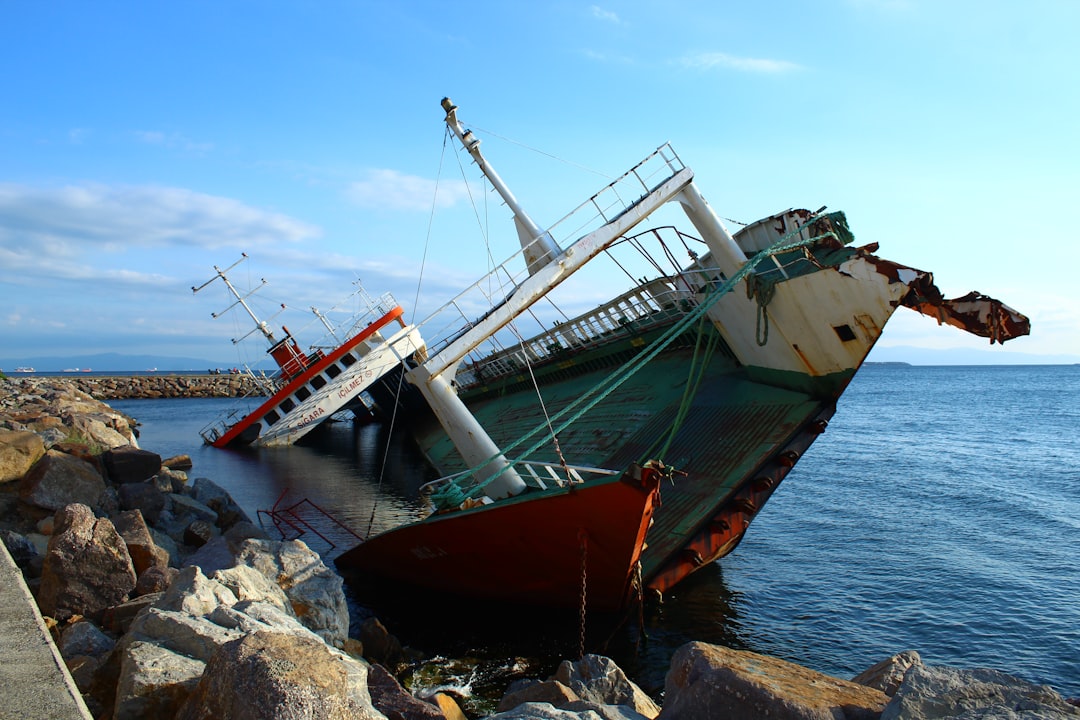
Black Friday. Cyber Monday. Holiday sales. For dropshippers, these are critical revenue windows. But they can quickly unravel into chaos when your dropshipping app crashes under pressure — and worse, deletes hundreds or thousands of bulk orders. When your backend fails during high-traffic periods, it not only leads to revenue loss, but inflicts massive damage to your brand’s reputation and customer trust. Every minute counts.
TLDR
If your dropshipping app crashes during a major sale and deletes bulk orders, you need to act immediately. Begin by identifying the scope of damage and retrieving any recoverable order data. Communicate with both your customers and supplier network transparently and proactively. Have a disaster response framework in place to handle future incidents and minimize brand damage.
Understanding the Impact
A crash during a high-traffic event is not just a technical glitch. It’s a full-blown crisis with legal, logistical, and reputational consequences. Here’s why this scenario is uniquely dangerous to dropshippers:
- Loss of Order Data: Transactions may be lost, leaving you without shipping details or payment confirmations.
- Delayed or Missed Fulfillment: Unfulfilled orders destroy customer trust and can lead to refund requests, chargebacks, and negative reviews.
- Disrupted Supplier Coordination: Without proper order export, your supplier can’t fulfill orders — leading to further fulfillment delays.
Understanding your exposure is the first step toward executing an effective recovery plan.
Step 1: Assess and Isolate the Problem
Your priority is to identify the nature of the crash and quantify its impact. Ask yourself:
- Did the app crash entirely or experience partial outages?
- Which time frame does this issue affect?
- Were any order IDs or logs recoverable via your hosting platform, Shopify database, or analytics tool?
Before doing anything else, stop all active ad campaigns to avoid further inflow of unprocessed orders.
Use tools like Google Analytics, Facebook Pixel, Shopify Reports, and third-party tracking software to match checkout events with incomplete Shopify backend records. This gives you a rough framework of how many orders were potentially lost.
Step 2: Attempt Emergency Data Recovery
If your app has backup capabilities or is integrated with platforms like Shopify, you might be able to recover raw order logs. Here’s how:
- Pull payment provider data (Stripe, PayPal, or Shopify Payments) to reign in completed transactions.
- Cross-reference payment success timestamps with missing orders in your dashboard.
- Export raw customer data from abandoned cart records if available.
- Contact your dropshipping service support immediately — the app may have restore utilities or logs in their server that can aid recovery.
It is critical that you attempt to retrieve any clean list of orders affected during the specific blackout window.

Step 3: Start Communicating Immediately
Transparency will make or break you. Many e-commerce founders hesitate to reach out to customers during dire situations — but most customers will be reasonable if they are informed promptly and truthfully.
Create segmented email campaigns for three groups:
- Customers whose orders you’ve recovered: Send confirmation emails and assure them their order is being processed normally.
- Customers with payment but no order records: Apologize for the technical fault, ask them to confirm their order details via a secure form (Google Form, Typeform), and prioritize processing their orders manually.
- Customers stuck during checkout: Notify them about the issue and offer an exclusive discount if they attempt the purchase again — this softens the frustration.
In every communication, be honest, maintain a calm tone, and show a sense of urgency. You might write:
“Due to an unexpected technical outage during our latest sale, a small percentage of order data was lost. If you completed payment and have not received a confirmation email, please reach out here immediately: [support link]. We are resolving this with top priority and appreciate your patience.”
Step 4: Notify Your Suppliers & Adjust Fulfillment Roadmap
Your dropshipping suppliers or agents must be made aware of the issue immediately. Share the recovered order list and communicate delivery date adjustments transparently.
If there is any discrepancy or delay expected beyond your promised timelines, ask your supplier to provide priority-line processing or improved shipping alternatives. Don’t let the crash bottleneck fulfillment even further — mitigate wherever possible.
If you’re working via a platform like CJ Dropshipping, Zendrop, or DSers, open a support ticket using their priority channels and supply all recovered data immediately. In some cases, agents can fast-track order processing for bulk recovery scenarios.

Step 5: Offer Compensation & Protect Customer Loyalty
Customers don’t expect perfection, but they do expect responsibility. After the event is under control, offer proactive gestures of goodwill:
- Exclusive Site Credit: Give affected customers a $5–$10 voucher off their next order.
- Refund Options: Be generous with refund eligibility even if orders are late, especially for first-time buyers.
- Discount for Repeat Attempts: Encourage re-orders with a custom coupon code (e.g., “SORRY10”).
These moves not only reduce chargeback risks but encourage repeat business. The goal is to turn a crisis into an opportunity to show exceptional customer service.
Step 6: Conduct a Complete Technical Postmortem
Once the fires are out, take your team through a full incident assessment. Ask:
- Why did the app crash? Was it load-related, a backend integration flaw, or third-party API rate limits?
- Where did the system fail to back up user data?
- Was app redundancy or a fallback mechanism in place?
Prepare a full document of the timeline, communication logs, and mitigation steps taken. This is not only critical for internal learning but also helps if users demand transparency or regulators ever get involved.
Review your current stack with your developers or Shopify experts and consider scaling up infrastructure before your next sale window. If the app you used was responsible for the crash, it may be time to evaluate other alternatives or upgrade to ERP-level platforms with bulk data safeguards.
Step 7: Build a Future-Proof Emergency Protocol
To prevent this from happening again, or to minimize damage when disaster strikes, implement a crisis-ready system. Your emergency toolkit should include:
- Real-Time Order Export: Automate hourly exports of all new orders to Google Drive or a third-party database.
- Alert Notifications: Use app monitoring tools (like UptimeRobot or DataDog) to notify your Slack, Telegram, or SMS channels the moment an outage happens.
- Failover Store Strategy: Duplicate your Shopify store on an alternate domain with synchronized products, allowing your team to reroute traffic in high-crash scenarios.
Training your customer support team on handling panic inquiries swiftly during crashed operations is also critical. Have pre-made scripts and support form templates ready.
Conclusion
A crashed dropshipping app during major traffic spikes is a nightmare—especially when order loss is involved. But how you respond in those crucial first hours will define your business reputation. Speed, transparency, and professionalism are the pillars of your recovery response.
By acting fast to recover data, alerting your customers promptly, working closely with suppliers, and compensating affected buyers generously, you not only repair the damage — you come out stronger. Most importantly, learn from the incident and build a robust preparedness framework so that next time, you’re ready even before disaster hits.