
A failed Core Web Vitals assessment can feel discouraging, but it is also a clear signal that a website has measurable performance issues affecting real visitors. Google evaluates Largest Contentful Paint, Cumulative Layout Shift, and Interaction to Next Paint using field data from actual users, so passing requires more than a fast lab test. The path forward is to identify the weakest metric, fix the causes, and monitor results over time.
TLDR: A Core Web Vitals failure usually means the page loads too slowly, shifts unexpectedly, or responds sluggishly to user actions. Improving LCP requires faster server response, optimized images, and reduced render blocking. Improving CLS depends on reserving space for images, ads, and embeds, while improving INP requires lighter JavaScript and faster event handling. Continuous testing with field and lab tools helps confirm whether fixes are working.
What a Failed Core Web Vitals Assessment Means
Core Web Vitals are user experience metrics used to evaluate whether a page feels fast, stable, and responsive. A failed assessment means that one or more of the three main metrics does not meet Google’s recommended threshold for at least 75% of page visits.
- LCP: Measures how quickly the main visible content loads. A good score is 2.5 seconds or less.
- CLS: Measures unexpected layout movement. A good score is 0.1 or less.
- INP: Measures responsiveness after interactions such as clicks, taps, and keyboard input. A good score is 200 milliseconds or less.
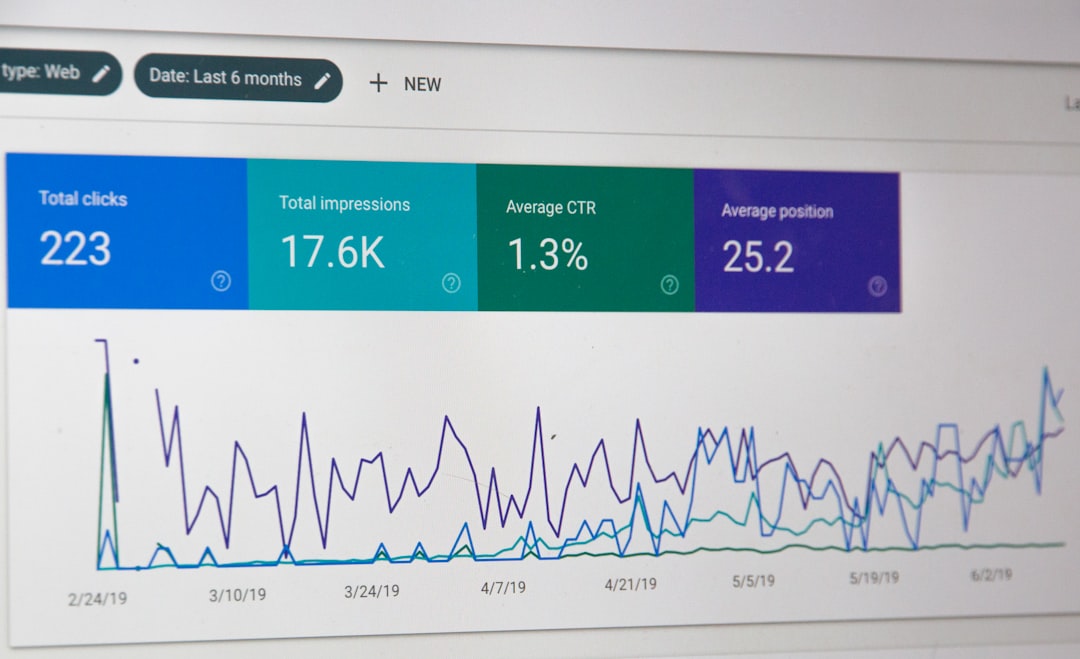
Because Core Web Vitals rely heavily on real user data, a website may perform well in one test but still fail in Google Search Console. Differences in devices, network quality, geographic location, browser conditions, and page templates can all affect results.
How to Improve LCP
Largest Contentful Paint usually reflects the loading speed of the hero image, main heading, featured banner, or primary content block. If LCP is poor, visitors may see a blank area, spinner, or incomplete page for too long.
The first step is to identify the LCP element. Tools such as PageSpeed Insights, Lighthouse, Chrome DevTools, and WebPageTest can show which element is being measured. Once identified, the optimization process becomes more targeted.
Reduce Server Response Time
A slow server delays everything that follows. To improve response time, a website should use efficient hosting, server side caching, database optimization, and a content delivery network. Dynamic pages should avoid unnecessary queries and heavy backend processing.
Optimize the Main Image
If the LCP element is an image, it should be compressed, properly sized, and served in a modern format such as WebP or AVIF. The image should not be larger than required for its display size. For important above the fold images, lazy loading should generally be avoided because it can delay discovery by the browser.
Preload Critical Assets
Important fonts, hero images, and critical CSS can be preloaded so the browser discovers them earlier. However, excessive preloading can create competition for bandwidth, so only truly essential resources should receive priority.
Remove Render Blocking Resources
Large CSS and JavaScript files can block the page from rendering. Developers should inline critical CSS, defer nonessential JavaScript, remove unused code, and split large bundles. The goal is to make the primary content visible as quickly as possible.
How to Improve CLS
Cumulative Layout Shift measures visual instability. A poor CLS score often happens when content suddenly moves after a user has started reading or preparing to click. This creates frustration and can lead to accidental taps, especially on mobile devices.

Reserve Space for Images and Videos
Images, videos, iframes, and embeds should include width and height attributes or use CSS aspect ratio rules. When the browser knows the expected dimensions, it can reserve the correct space before the asset loads.
Control Ads and Dynamic Content
Advertisements, banners, cookie notices, recommendation widgets, and newsletter forms are common CLS offenders. These elements should have predefined containers. If content must appear after page load, it should avoid pushing existing content downward unless the change is triggered by a user action.
Load Fonts Carefully
Web fonts can cause text to shift when they replace fallback fonts. To reduce this problem, a website can use font-display: swap, choose fallback fonts with similar dimensions, preload important fonts, and limit the number of font families and weights.
Avoid Inserting Content Above Existing Content
When new elements are injected above the current viewport, the page may shift unexpectedly. Notifications and promotional bars should either reserve space from the start or appear as overlays that do not move the layout.
How to Improve INP
Interaction to Next Paint replaced First Input Delay as the responsiveness Core Web Vital. It evaluates how quickly a page reacts throughout the entire visit, not just during the first interaction. A poor INP score usually indicates that the main thread is too busy, JavaScript is too heavy, or event handlers are slow.
Reduce JavaScript Execution
Large JavaScript bundles can block the browser from responding quickly. Code should be audited, unused libraries removed, and scripts split into smaller chunks. Third party scripts should be reviewed carefully because analytics, chat widgets, ads, and tracking tools can add significant processing cost.
Break Up Long Tasks
A long task is JavaScript work that occupies the main thread for too long. Developers can break large operations into smaller pieces, defer noncritical work, and use scheduling techniques so the browser has opportunities to respond to user input.
Optimize Event Handlers
Click, input, scroll, and keyboard handlers should do only the necessary work. Expensive calculations, DOM updates, and network requests should be minimized or moved away from the immediate interaction path. When possible, visual feedback should appear quickly while heavier processing continues afterward.
Use Web Workers When Appropriate
For complex calculations or data processing, web workers can move work off the main thread. This does not solve every responsiveness issue, but it can help pages that perform heavy client side processing.
Testing and Monitoring Progress
Improving Core Web Vitals requires both lab data and field data. Lab tools are useful for debugging because they provide immediate feedback in a controlled environment. Field tools show how real visitors experience the page over time.
- Google Search Console: Shows URL groups that pass or fail based on real user data.
- PageSpeed Insights: Combines field data with lab diagnostics.
- Chrome DevTools: Helps inspect network activity, layout shifts, and long tasks.
- Lighthouse: Provides repeatable lab audits and improvement suggestions.
- Real user monitoring: Tracks performance across devices, regions, and browsers.
After fixes are deployed, field data may take time to reflect improvements. Google’s CrUX data is based on a rolling collection period, so results do not always change immediately. A website may need several weeks of improved real user performance before the assessment changes from failed to passed.
Common Mistakes That Delay Improvement
Many teams focus only on a homepage, but Core Web Vitals are evaluated across page groups. Product pages, blog posts, category pages, and landing pages may each have different performance problems. Another common mistake is optimizing desktop while ignoring mobile, even though mobile users often experience slower networks and weaker processors.
It is also risky to install more plugins or third party scripts without measuring their impact. Every new script, widget, or visual effect can affect LCP, CLS, or INP. A performance budget can help teams decide whether a new feature is worth the cost.
FAQ
Why did the Core Web Vitals assessment fail?
It failed because at least one key metric, such as LCP, CLS, or INP, did not meet Google’s recommended threshold for enough real users.
How long does it take to pass after fixes are made?
Lab scores may improve immediately, but field data can take several weeks to update because it is based on real user experience over time.
Which Core Web Vital should be fixed first?
The weakest failing metric should usually be addressed first. If multiple metrics fail, LCP and INP often deserve early attention because they strongly affect perceived speed and usability.
Can a website pass in Lighthouse but fail in Search Console?
Yes. Lighthouse uses a controlled lab test, while Search Console uses field data from real visitors. Different devices, networks, and user behavior can produce different results.
Do Core Web Vitals affect SEO?
Core Web Vitals are part of Google’s page experience signals. They are not the only ranking factor, but improving them can support better usability, engagement, and search performance.