Mobbin is the better pick for deep mobile UI research. Pttrns is still useful, but it feels lighter, simpler, and more limited. If you want lots of real app screens, clear flows, and quick pattern hunting, start with Mobbin.
TLDR: Mobbin is best when you need rich mobile interface inspiration from real apps. Pttrns is better when you want quick visual ideas without much setup. For example, a designer working on a fintech signup flow could review 40 Mobbin screens in 15 minutes, then compare them with 10 Pttrns examples for extra style ideas. In a small design team, that can cut research time by around 30% before wireframing even starts.
Mobbin vs Pttrns: The quick answer
Mobbin and Pttrns both help designers find UI ideas. They both show mobile app screens. They both help when your brain feels empty and the deadline is rude.
But they are not the same tool.
Mobbin feels like a serious research library. It gives you real product screens from popular apps. You can study full user flows, not just pretty images.
Pttrns feels more like a clean gallery. It is nice for browsing. It is good for quick sparks. But it can feel thin when you need deep product thinking.
Honestly, it feels like Mobbin was built for designers doing actual product work. Pttrns feels more like a mood board with useful labels.
What is Mobbin?
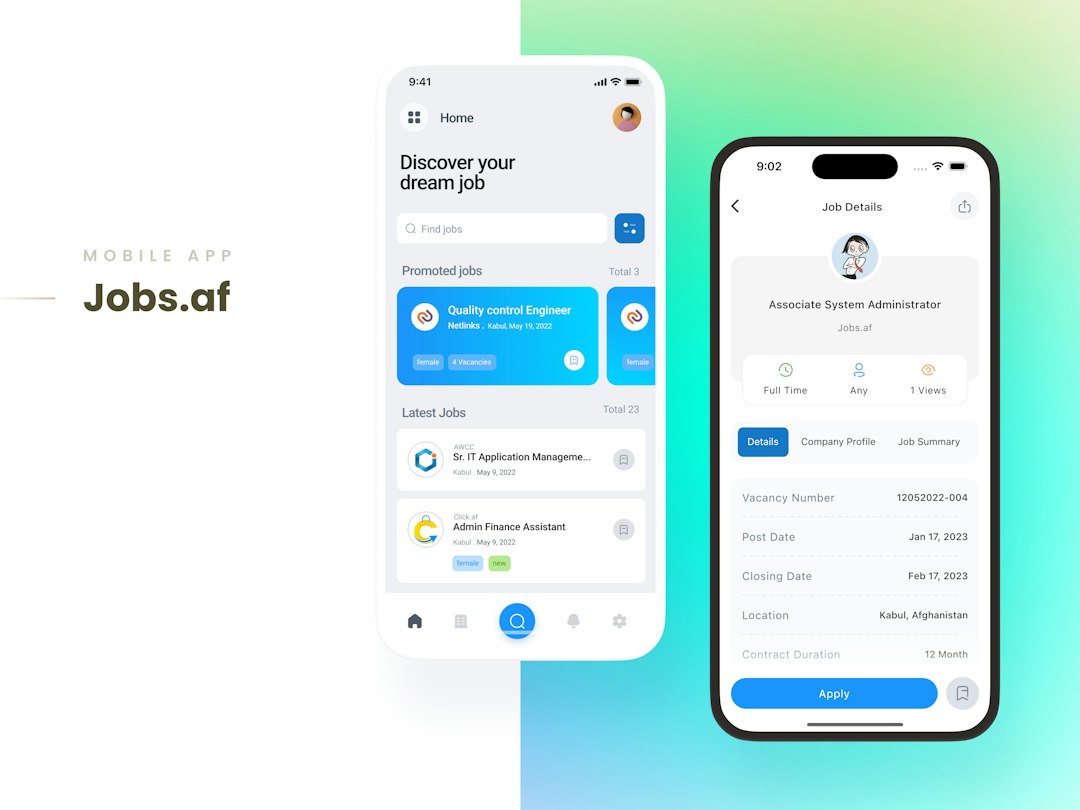
Mobbin is a UI design inspiration platform. It collects screenshots from real mobile and web apps. You can search by app, screen type, flow, platform, or UI pattern.
Need onboarding ideas? Search onboarding.
Need checkout screens? Search checkout.
Need profile settings from apps that people actually use? Mobbin has plenty.
The big win is context. You are not staring at one random screen. You can see how screens connect. That matters a lot. A login screen is not just a login screen. It is part of a flow. It has error states, password reset links, social login, and little microcopy choices.
Mobbin helps you see all of that.
What is Pttrns?
Pttrns is also a mobile UI inspiration site. It has organized app screenshots by category. You can browse things like activity feeds, product pages, signups, settings, and more.
It is simple. That is nice.
You open it. You browse. You save ideas.
There is less friction. But there is also less depth. It can help you find a direction fast. It may not help you understand the whole user journey.
That is the key difference.
Where Mobbin wins
- Better real app coverage: Mobbin has a large library of polished screens from well-known products.
- Stronger flows: You can study how users move from one screen to the next.
- Good search: It is easier to find specific patterns.
- More research value: Great for product designers, UX teams, and design leads.
- Cleaner structure: Screens feel sorted with clear intent.
This is where Mobbin earns its place. You can look at a full subscription flow from a real app. Then you can compare it with another app. Then another. Soon, patterns appear.
You start to see what is common. You see what feels clunky. You notice which labels are clear. You catch the tiny choices that make a screen feel easy.
That is gold.
It drives me crazy when inspiration tools only show the “hero” screen and hide the messy steps. Real users do not live on hero screens. They live inside forms, errors, empty states, filters, payment steps, and permission prompts.
Mobbin understands that better.
Where Pttrns wins
- Fast browsing: Pttrns is easy to scan.
- Simple categories: You can jump into a UI type quickly.
- Nice for mood checks: It helps when you need a quick visual push.
- Less intense: It does not feel like a huge research system.
Pttrns works well when you are early in a project. Maybe you only need to see how other apps treat a profile screen. Maybe you want five options before sketching.
In that case, Pttrns can be enough.
It is also useful for junior designers. The layout is easy to grasp. You do not need to build a research plan. You can just look around and learn.
Side by side comparison
| Feature | Mobbin | Pttrns |
|---|---|---|
| Best for | Deep UI and UX research | Quick visual inspiration |
| Screen depth | Very strong | Moderate |
| User flows | Great | Limited |
| Search quality | Strong | Basic |
| Learning value | High | Good |
| Best user | Product designers and UX teams | Designers needing fast ideas |
A simple user case
Imagine Maya. She is designing a new food delivery app. Her team needs a better cart and checkout flow. The old one loses users before payment.
She opens Mobbin first. She searches for checkout, cart, delivery address, and payment. In 20 minutes, she reviews screens from delivery apps, retail apps, and subscription apps.
She finds three useful patterns:
- Show delivery fees before the final step.
- Keep address editing close to the order summary.
- Use one clear payment button at the bottom.
Then she opens Pttrns. She spends 10 minutes scanning cart screens for visual ideas. She likes one layout with big product cards and soft spacing.
Now she has both things. She has UX logic from Mobbin. She has visual flavor from Pttrns. That is a good combo.
Which tool is better for mobile app design?
For mobile app design, Mobbin wins.
The reason is simple. Mobile UI is about flow. Small screens force tough choices. Every tap matters. Every label matters. Every missing state can hurt the experience.
Mobbin gives you more of that story.
Pttrns is helpful, but it often stops at the surface. You may see a nice screen. But you may not see what happens before it or after it. That can lead to weak design choices.
Pretty screens are not enough. Sorry. They just are not.

When should you use Mobbin?
Use Mobbin when you need to study how real apps solve real problems.
- Use it before wireframing.
- Use it during competitor research.
- Use it when building a design system.
- Use it when improving conversion flows.
- Use it when writing UI copy.
It is especially good for signup, onboarding, checkout, search, settings, booking, subscriptions, and empty states.
When should you use Pttrns?
Use Pttrns when you want quick ideas without heavy research.
- Use it for early mood boards.
- Use it to compare common screen layouts.
- Use it when you feel stuck for visual direction.
- Use it for small projects with tight timing.
Pttrns is also good when you do not need a full user flow. Sometimes you only need a spark. That is fine.
The best workflow
Here is the sweet spot.
- Start with Mobbin. Study real flows and common patterns.
- Take notes. What repeats? What feels smooth? What feels annoying?
- Open Pttrns. Grab extra visual direction.
- Sketch your version. Do not copy. Adapt.
- Test the flow. Make sure it works for your users.
This workflow keeps you grounded. It also keeps your design from feeling like a random collage.
Final verdict
Choose Mobbin if you want stronger mobile interface inspiration. It gives you depth, context, and real product examples. It is the better tool for serious UI and UX work.
Choose Pttrns if you want a lighter gallery. It is quick, simple, and useful for visual scanning.
The best answer is not always one or the other. Use Mobbin for the thinking. Use Pttrns for the extra spark. Your screens will feel better, and your users will thank you with fewer rage taps.