
Email is still the backbone of the internet. Every time you reset a password, get a receipt, or confirm a booking, a system email is working behind the scenes. These messages are not sent from someone’s inbox. They are sent automatically using something called a transactional email API. Sounds technical. It is. But it’s also simple once you break it down.
TLDR: Transactional email APIs let apps and websites send automatic emails like password resets, receipts, and alerts. They are fast, reliable, and built for sending important one‑to‑one messages. Developers use them to connect their apps to powerful email delivery systems. If you run a digital product, they are essential.
What Are Transactional Emails?
Transactional emails are messages triggered by a user’s action. They are not marketing blasts. They are personal. And they are expected.
Examples include:
- Password reset emails
- Order confirmations
- Shipping notifications
- Account verification emails
- Billing receipts
- Security alerts
These emails must arrive quickly. If a password reset takes 20 minutes, users get frustrated. If a payment receipt never comes, customers worry.
Speed and reliability matter. That’s where transactional email APIs shine.
What Is an API?
An API stands for Application Programming Interface. Big words. Simple meaning.
An API is a bridge. It allows two systems to talk to each other.
Imagine this:
- Your app needs to send an email.
- Instead of building a full mail server, you connect to an email service.
- The API lets your app tell that service, “Send this email to this user.”
That’s it. The API handles the heavy lifting.
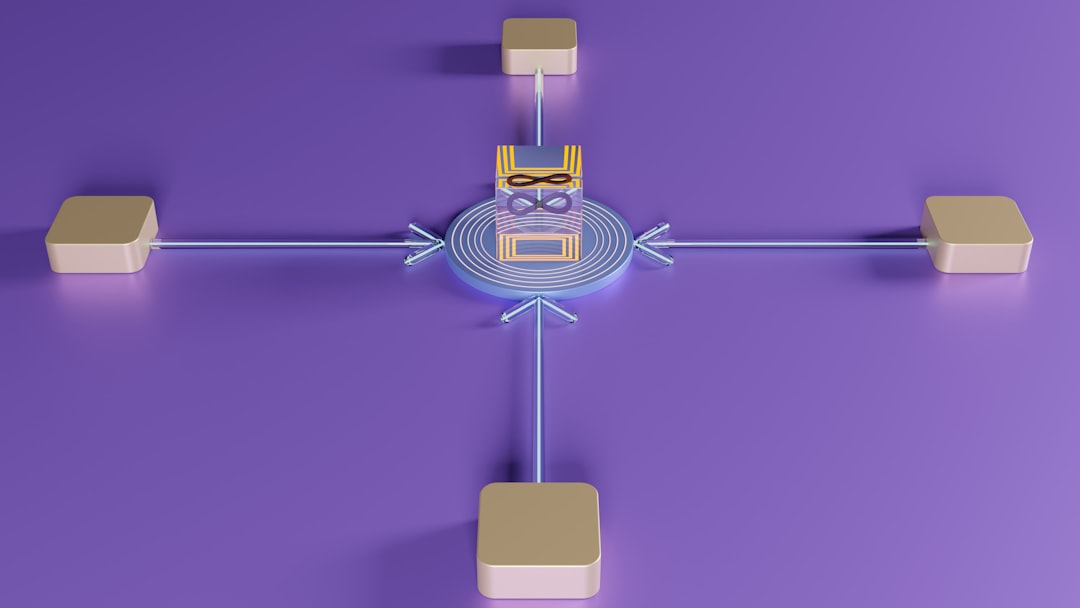
How Transactional Email APIs Work
The process is surprisingly smooth.
- A user performs an action. For example, clicking “Reset Password.”
- Your app generates a request.
- The request is sent to the email provider through an API call.
- The provider delivers the email.
- The user receives it in seconds.
All of this happens almost instantly.
No manual work. No copying and pasting. Just clean automation.
Why Not Just Use Regular Email?
Good question.
You could try sending emails from your own mail server. But that comes with problems:
- Deliverability issues
- Spam filtering challenges
- IP reputation management
- Security risks
- Scaling headaches
Email providers specialize in solving these problems. They maintain trusted sending IPs. They monitor blacklists. They optimize delivery speed.
This means your emails are more likely to land in the inbox. Not spam.
Key Features of Transactional Email APIs
Let’s look at what makes these APIs powerful.
1. High Deliverability
Deliverability is everything. If emails don’t arrive, nothing else matters.
Transactional email services use:
- Reputation monitoring
- Authentication protocols like SPF, DKIM, and DMARC
- Dedicated IP addresses
- Smart sending algorithms
This improves inbox placement.
2. Speed
System emails must be fast.
These APIs are built for real-time sending. Most emails are delivered within seconds.
That speed improves user experience.
3. Scalability
Today you send 100 emails a day. Tomorrow you send 1 million.
A transactional email API can handle both.
You don’t need new hardware. You don’t rebuild infrastructure. You scale automatically.
4. Analytics and Tracking
You can track:
- Delivery status
- Opens
- Clicks
- Bounces
- Spam complaints
This data helps you troubleshoot problems. And improve performance.
5. Templates
Most services let you create reusable email templates.
You design once. Then you insert dynamic data like:
- User names
- Order numbers
- Reset links
- Billing amounts
The API fills in the blanks automatically.
SMTP vs API: What’s the Difference?
You may hear about SMTP as well. It’s an older way of sending emails.
Here’s the difference:
- SMTP is a protocol for sending emails.
- API is a modern interface that gives more control and flexibility.
APIs usually offer:
- Better performance
- Advanced tracking
- Easier integration with apps
- Improved security
SMTP still works. But APIs are cleaner and more powerful.
Security Matters
System emails often contain sensitive data.
Think about:
- Password reset links
- Two-factor authentication codes
- Invoices
- Billing updates
Transactional email APIs use encryption and authentication to protect this data.
Common security features include:
- HTTPS encryption
- API keys
- Access controls
- Domain verification
This keeps your users safer.
Common Use Cases
Let’s make this real.
E-Commerce Stores
Online stores rely heavily on transactional emails.
- Order confirmations
- Shipping updates
- Delivery notifications
- Refund confirmations
These messages build trust.
SaaS Platforms
Software platforms use APIs for:
- Account activation
- Usage alerts
- Subscription renewals
- Security notifications
Automation keeps everything smooth.
Financial Services
Banks and fintech apps send:
- Transaction alerts
- Fraud warnings
- Monthly statements
Here, reliability is critical.
Healthcare Platforms
They send:
- Appointment reminders
- Test result notifications
- Prescription updates
Timing matters.
How Developers Integrate a Transactional Email API
The integration process usually looks like this:
- Create an account with an email service provider.
- Generate an API key.
- Add the provider’s SDK or use direct API requests.
- Connect event triggers in the app.
- Test emails in a sandbox environment.
Most providers offer code samples in popular languages like:
- JavaScript
- Python
- PHP
- Ruby
- Java
Setup can take less than an hour.
Best Practices for Sending System Emails
Using an API is step one. Using it well is step two.
Keep Messages Clear
System emails should be simple.
No fluff. No heavy marketing. Just useful information.
Use a Recognizable Sender Name
Users should instantly know who the email is from.
This improves trust and open rates.
Avoid Spam Triggers
Even transactional emails can hit spam if poorly written.
Avoid:
- ALL CAPS
- Too many exclamation marks
- Spammy phrases
Monitor Bounce Rates
Clean your email lists.
Remove invalid addresses.
This protects your sender reputation.
Separate Marketing and Transactional Streams
Do not mix newsletters with password resets.
Keep them on separate sending domains or IPs when possible.
This keeps important messages safe from marketing performance issues.
Costs and Pricing
Most transactional email APIs charge based on volume.
Typical pricing factors include:
- Number of emails per month
- Dedicated IP usage
- Advanced analytics features
- Support level
Some providers offer free tiers for small applications.
As your app grows, your plan scales with you.
The Future of Transactional Email
Email is evolving. But it is not disappearing.
We now see:
- Smarter personalization
- AI-driven delivery optimization
- Stronger authentication standards
- Real-time event-driven architectures
APIs are becoming even more integrated into modern app ecosystems.
Developers expect speed. Reliability. Clean documentation.
Email providers continue improving all three.
Why Transactional Email APIs Are Essential
Today’s users expect instant communication.
They want confirmation now. Not later.
They want security alerts immediately. Not hours afterward.
Transactional email APIs make that possible.
They remove complexity. They handle scale. They improve reliability.
Most importantly, they protect user experience.
Behind every smooth digital interaction, there is usually a transactional email system quietly doing its job.
You may never see the API itself. But you see its results daily.
Fast emails. Secure links. Immediate confirmations.
That’s the invisible power of transactional email APIs.
Simple in concept. Powerful in execution. Essential for modern applications.