
Managing multiple social media accounts means handling different login sessions, posting schedules, messages, and team responsibilities. What works for two accounts can become harder when you’re managing ten client accounts across TikTok, Instagram, Facebook, and other platforms.
The good news is that there are tools for different parts of this workflow, including some you may not have heard of. Here are six options worth exploring, from established social media platforms to lesser-known tools that can make everyday tasks easier.
Each serves a different purpose, from keeping accounts organized with cloud Android phones and browser profiles to scheduling posts, managing engagement, tracking performance, and writing captions.
This comparison covers the tools’ documented features, main use cases, and limitations. It is based on publicly available product information rather than hands-on testing.
1. Multilogin: Cloud phones for managing multiple social media accounts
Managing multiple social media accounts involves more than scheduling posts. Teams also need to organize login sessions, keep client account data separate, and access features that work inside native mobile apps. Using the same phone for several accounts can make these workflows difficult to manage, especially when different people handle different clients or regions.
Multilogin is a cloud Android phone platform for multi-account management. It lets you run each mobile app account on its own cloud Android phone, while web-based accounts can use isolated browser profiles.
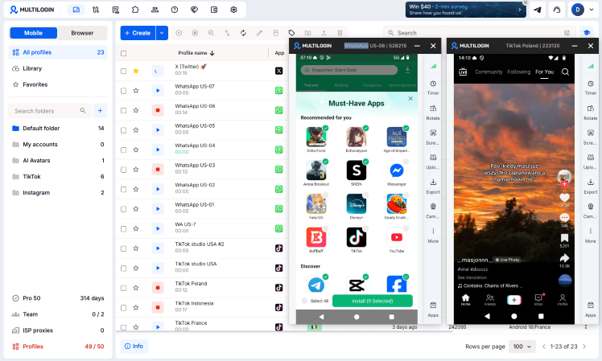
A Multilogin cloud phone runs on a real ARM-based Android device in the cloud, with separate app data, login history, location, and IP settings. Cloud phones and browser profiles are managed from one dashboard, so teams can organize mobile and web account workflows without maintaining multiple physical phones.
For daily account management, each Multilogin cloud phone keeps its apps, login history, and account data between sessions. Built-in residential proxies and location settings help configure each environment for the intended market.
While paid plans support team collaboration and API-based automation. Cloud phones also support ADB for compatible mobile workflows.
Best for:
Social media agencies, creators managing multiple accounts, e-commerce sellers, and teams working across mobile apps and web platforms.
Worth knowing:
Cloud phones require a stable internet connection and cannot receive SMS messages or phone calls. Apps requiring phone verification need a separate number. A market-specific IP does not guarantee access to every regional feature or override a platform’s rules.
Price:
Free plan with no time limit and no credit card required. Paid plans include additional account capacity and recurring usage allowances and start from $7.08/month.
2. Buffer: A calm posting calendar
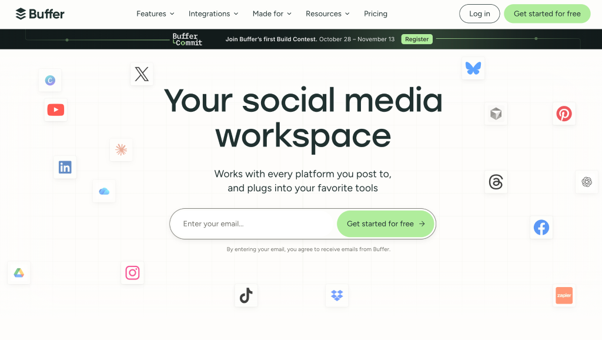
Publishing across multiple social media accounts takes planning. Each account may have a different posting schedule, content format, and target audience. Without a shared calendar, teams can miss publishing dates or spend too much time switching between platforms.
Buffer is a social media scheduling tool that helps users plan, organize, and publish content across connected networks. Its visual calendar, post queue, and scheduling tools make it practical for managing regular publishing workflows.
Best for:
Solo creators, freelancers, and small teams looking for simple social media scheduling.
Worth knowing:
Buffer’s free plan supports up to three social channels and ten scheduled posts per channel at a time. Paid plans provide more scheduling capacity and additional features. Some content formats require users to finish publishing inside the native social media app.
Price:
Buffer offers a free plan for up to three social channels, while paid plans start at $6 per channel/month for Essentials and $12 per channel/month for Team.
3. Hootsuite: Social media management for larger teams
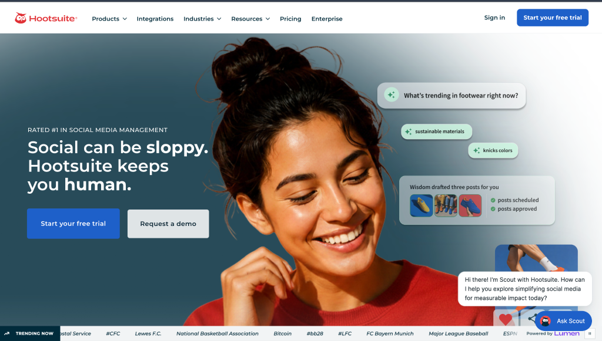
When teams manage several brands across multiple social networks, keeping publishing schedules, messages, and campaign monitoring organized can become challenging. Hootsuite brings these activities together in one platform, helping teams coordinate content and monitor their social media presence across connected accounts.
Hootsuite brings social media scheduling, inbox management, analytics, and monitoring into one platform. Teams can organize publishing across connected networks, respond to supported social interactions, and review campaign results.
Best for:
Marketing teams and agencies that manage several social media accounts and need centralized publishing, monitoring, and reporting.
Worth knowing:
Hootsuite’s Standard plan supports up to ten social media accounts. Teams needing more accounts or advanced approval workflows may need higher-tier plans.
Price:
Hootsuite plans start at $99 per user/month for Standard, $199 for Professional, and $399 for Advanced, billed annually. Enterprise pricing is custom, and a free trial is available.
4. Sprout Social: Social media engagement and analytics
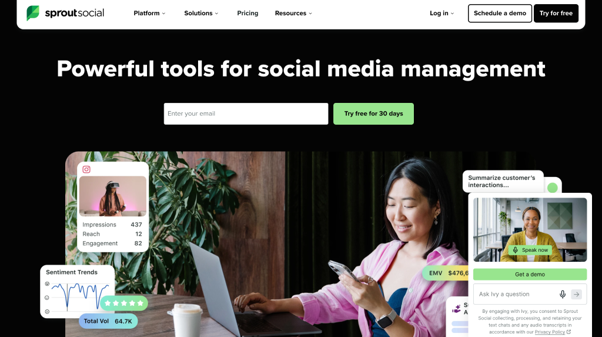
Publishing content is only one part of managing social media accounts. Teams also need to respond to comments and customer messages, track engagement, and report results to clients. These tasks become more difficult when several people manage different channels.
Sprout Social combines social publishing, a unified inbox, reporting, and team collaboration features. It helps teams organize customer conversations, monitor account performance, and prepare reports across supported social networks.
Best for:
Agencies and marketing teams focused on customer engagement, analytics, and social media reporting.
Worth knowing:
Sprout Social uses per-seat pricing. Its Standard plan supports five social profiles, while the Professional plan supports unlimited profiles. Advanced social listening is available as an additional paid feature.
Price:
Sprout Social plans start at $79 per seat/month for Essentials, $199 for Standard, $299 for Professional, and $399 for Advanced, billed annually. Enterprise pricing is custom, and a 30-day free trial is available.
5. Meta Business Suite: Free and official for Facebook and Instagram
Managing Facebook and Instagram together means handling posts, comments, messages, and account performance across two platforms. When several people are responsible for these activities, switching between apps can make it harder to respond to customers and follow a shared publishing schedule.
Meta Business Suite is a free tool for managing supported Facebook and Instagram business activities. It lets users schedule posts and stories, manage messages and comments, and review available performance insights from one interface.
Best for:
Small businesses and marketing teams focused mainly on Facebook and Instagram.
Worth knowing:
Meta Business Suite is designed for Meta’s platforms, so it does not replace a multi-network management tool for teams also running TikTok, LinkedIn, X, or other social accounts. Access to business assets and insights also depends on account permissions.
Price:
Meta Business Suite is free to use for managing Facebook and Instagram accounts, including scheduling, messaging, and insights. Advertising costs are separate.
6. Emojifaces: A quick emoji library for social media captions
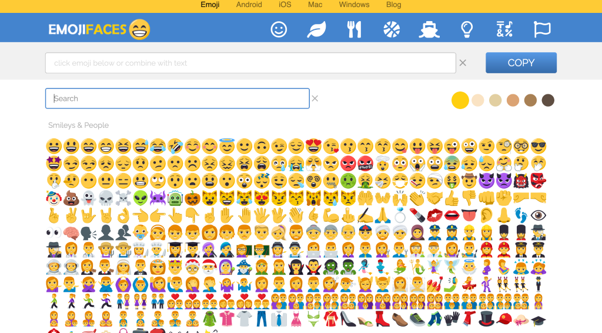
Managing several social media accounts often means writing in different brand voices. A playful creator account may use a different tone from a business support page. Finding suitable emojis while preparing captions or replying to comments can also interrupt the writing process.
EmojiFaces is an online emoji library that lets users find, copy, and paste emojis into social media captions, comments, and messages. It provides a simple way to add visual elements to written content without switching between different emoji keyboards.
Best for:
Creators, community managers, and social media teams that regularly write captions or respond to comments.
Worth knowing:
EmojiFaces is a supporting content resource, not a full social media management platform. It does not provide post scheduling, account management, or analytics.
Price:
EmojiFaces is free to use for browsing, copying, and pasting emojis, with no paid plans or subscription fees listed on its website.
Which social media management tool is right for you?
The right tool depends on where your team spends the most time. Buffer helps plan and schedule posts, Hootsuite brings publishing and monitoring together, and Sprout Social focuses on engagement and reporting. Meta Business Suite covers Facebook and Instagram, while EmojiFaces makes writing captions and replies a little easier.
| Tool | Main use case | Best for |
| Multilogin | Managing mobile-app accounts on separate cloud Android phones, with isolated browser profiles for web-based accounts | Agencies, creators, and social media teams managing multiple accounts across different markets |
| Buffer | Planning and scheduling social media posts | Solo creators and small teams |
| Hootsuite | Multi-network publishing, monitoring, and reporting | Agencies and larger marketing teams |
| Sprout Social | Social inbox management, engagement, and analytics | Teams focused on customer interactions and reporting |
| Meta Business Suite | Facebook and Instagram publishing, messaging, and insights | Small businesses and Meta-focused teams |
| Emoji library | Finding and copying emojis for captions and comments | Creators and community managers |
Social media teams may need more than one tool, depending on their workflow. Scheduling platforms help plan and publish content, while engagement and analytics tools support customer communication and reporting.
For teams managing multiple accounts across mobile apps and web platforms, Multilogin addresses a different need: separate cloud Android phones for mobile-app accounts, isolated browser profiles for web-based tasks, and built-in residential proxies for configuring account environments for different markets.
You may need just one tool or a combination of several. Start with the tasks that take the most time, then choose the tools that fit your workflow and budget.
Keep content original, follow each platform’s rules, and use separate account environments to make account management more organized.
Frequently asked questions
What is social media management?
Social media management is the work of planning, posting and replying across a brand’s social accounts, then tracking what performs. For most teams it covers content creation, scheduling, community replies and reporting, often on several platforms at once.
How do you manage multiple social media accounts without mixing them up?
Use a shared publishing calendar, assign clear responsibilities, and keep account sessions organized. Scheduling tools help manage content, while separate mobile or browser environments help keep account data and login sessions apart.
Multilogin supports the account-management side by giving each mobile-app account its own cloud Android phone and web-based accounts isolated browser profiles, all managed from one dashboard.
What is a cloud phone?
A cloud phone is an Android environment hosted remotely that users can control over the internet. It lets them run mobile apps and access saved app data without keeping a separate physical phone on their desk.
A Multilogin cloud phone runs on real ARM-based Android hardware in the cloud. Each mobile-app account can use its own device environment, with persistent app data and login history.
Is a cloud phone the same as an Android emulator?
No. An Android emulator simulates Android within another computing environment, while a cloud phone provides remote access to an Android environment.
The underlying technology can vary by provider. Some cloud phone services use real ARM-based Android hardware, while others use simulated environments. Check the hardware setup, supported apps, and session persistence when choosing a service. Neither approach guarantees a particular result from a platform’s device or account checks.
When should you use a cloud phone instead of a browser profile?
Use a cloud phone when your workflow requires native Android apps, mobile-specific features, or a separate mobile device environment for each account.
Browser profiles are more suitable for website-based tasks such as analytics dashboards, channel administration, and browser-based account management. The right choice depends on whether your daily work happens mainly inside an Android app or a web browser.