
Handwritten notes, historical manuscripts, classroom worksheets, and signed forms still play a major role in daily life and business. However, converting handwriting into editable, searchable, and shareable digital text can be challenging. This is where OCR (Optical Character Recognition) tools for handwriting come into play. Choosing the right solution requires an understanding of accuracy, language support, integration options, and data security.
TLDR: The best OCR tools for handwriting combine high recognition accuracy with strong language support, seamless integration, and reliable data security. AI-powered solutions typically outperform traditional OCR when interpreting cursive and messy writing. Users should evaluate their specific needs—such as volume, device compatibility, and privacy requirements—before selecting a tool. Testing multiple platforms through free trials is often the smartest way to make a confident choice.
Understanding Handwriting OCR Technology
Unlike standard OCR, which focuses on printed text, handwriting OCR relies on advanced machine learning algorithms to interpret irregular letter shapes, spacing variations, and stylistic differences. Modern solutions use artificial intelligence models trained on vast datasets of handwriting samples.
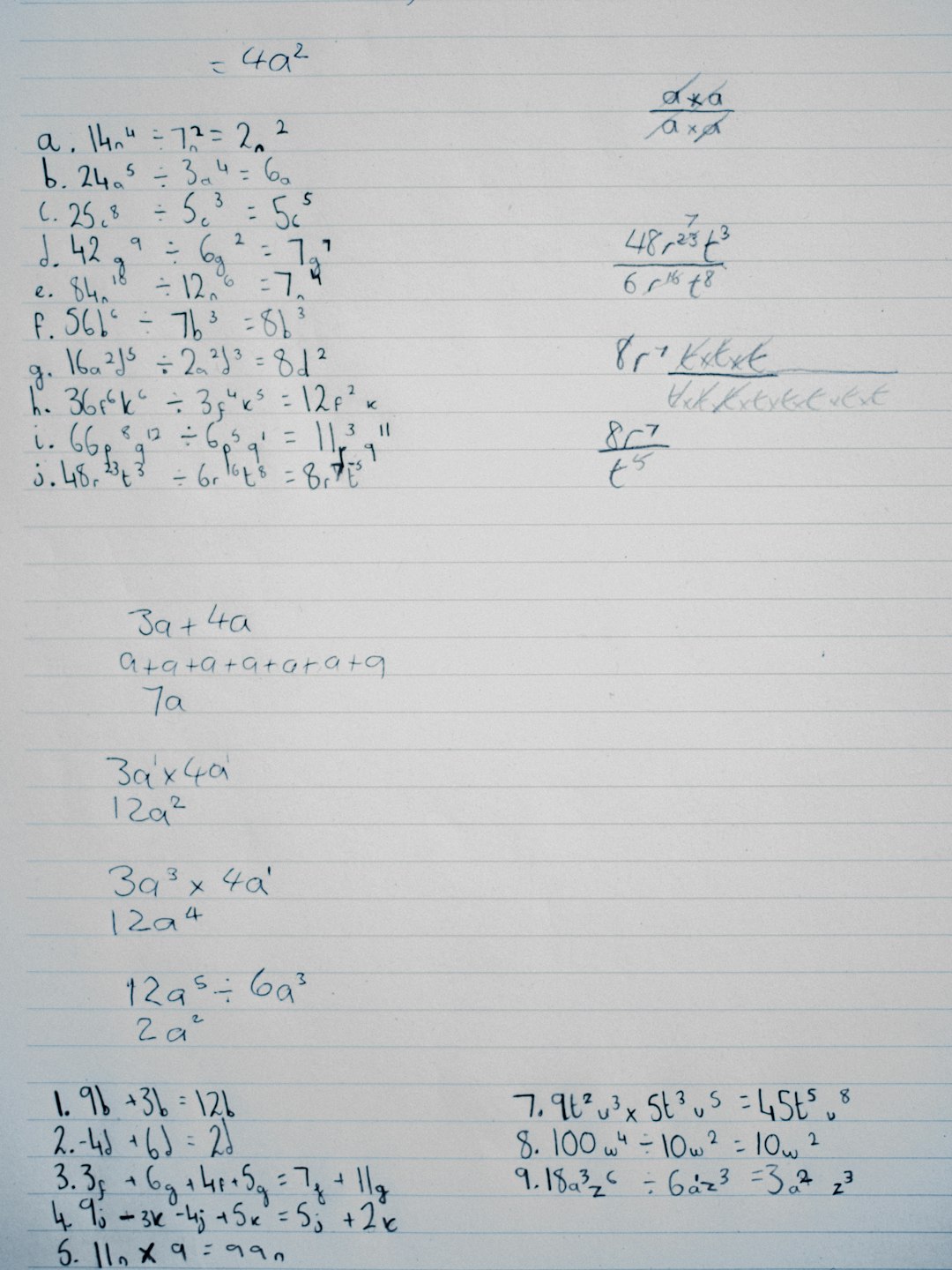
There are two primary types of handwriting recognition:
- Offline recognition: Converts scanned or photographed handwritten documents into digital text.
- Online recognition: Captures and interprets handwriting in real time, often from stylus input on tablets.
Offline recognition is more commonly used for document digitization projects, while online OCR is ideal for note-taking apps and interactive platforms.
Key Features to Look for in Handwriting OCR Tools
Not all OCR tools are created equal. When evaluating options, decision-makers should pay close attention to several essential features.
1. Recognition Accuracy
The most important factor is accuracy. Some tools excel at recognizing neat block letters but struggle with cursive or irregular handwriting. AI-based platforms generally offer better performance because they continuously learn and improve.
Accuracy may depend on:
- Writing style (cursive vs. print)
- Document quality and image resolution
- Language and character set
- Noise, background patterns, or shading
Professionals handling critical documents—such as medical records or legal paperwork—should prioritize tools with consistently high accuracy rates.
2. Language and Character Support
A reliable OCR tool should support multiple languages and special characters. Businesses operating internationally need software capable of recognizing accents, non-Latin scripts, and regional handwriting patterns.
Some advanced tools even offer mathematical symbol recognition, which is especially useful for academic and research applications.
3. Integration and Workflow Compatibility
OCR software should fit seamlessly into existing workflows. Common integration features include:
- API access for app integration
- Cloud storage synchronization
- Compatibility with document management systems
- Export options such as PDF, Word, or plain text
Organizations should evaluate whether they need standalone software or an API-driven solution that integrates directly into their applications.
4. Processing Speed and Scalability
For individuals digitizing a few handwritten pages, speed may not be critical. However, enterprises managing thousands of documents need scalable solutions that offer batch processing and automation capabilities.
Cloud-based OCR platforms often provide greater scalability because they leverage distributed computing resources.
5. Data Privacy and Security
Security should never be overlooked. Sensitive documents—such as financial statements, medical notes, or confidential contracts—require encrypted processing and storage.
When evaluating vendors, consider:
- End-to-end encryption standards
- Compliance with regulations such as GDPR or HIPAA
- On-premise deployment options
Top Types of Handwriting OCR Solutions
Rather than focusing solely on brand names, it is helpful to understand the categories of OCR tools available.
Cloud-Based OCR Services
Cloud-based solutions are accessible via web browsers or APIs. They typically use powerful AI engines and are regularly updated with improvements.
Advantages:
- No installation required
- Automatic updates
- High processing power
Disadvantages:
- Requires internet access
- Potential data privacy concerns
Desktop OCR Software
Installed directly on computers, desktop software allows offline processing. This is useful in secure environments where cloud uploads are not permitted.
Advantages:
- Greater control over data
- One-time license options
Disadvantages:
- Limited scalability
- Manual updates required
Mobile OCR Applications
Mobile apps are ideal for students, journalists, and professionals who need instant conversion from notebooks or whiteboards.

These apps typically allow users to photograph text and convert it directly into editable digital form.
How to Choose the Right OCR Tool
Selecting the best handwriting OCR solution depends largely on the intended use case.
For Students and Individuals
- Look for mobile compatibility.
- Prioritize ease of use.
- Choose tools that integrate with note-taking apps.
For Small Businesses
- Seek cloud-based solutions with moderate scalability.
- Ensure compatibility with productivity software.
- Balance cost with recognition performance.
For Large Enterprises
- Demand enterprise-level security and compliance.
- Consider API-driven solutions.
- Prioritize batch processing and automation.
Before committing, it is advisable to conduct a pilot test using actual handwritten samples. This helps measure real-world accuracy rather than relying on promotional claims.
Common Challenges in Handwriting OCR
Even the most advanced tools face challenges when interpreting handwriting.
- Illegible writing: Poor penmanship reduces recognition accuracy.
- Mixed content: Combining text, drawings, and tables complicates processing.
- Old documents: Faded ink and paper damage hinder conversion.
- Complex layouts: Multi-column documents require intelligent layout detection.
To improve results, users should scan documents in high resolution, use proper lighting, and edit recognized text for final proofreading.
Cost Considerations
Handwriting OCR tools vary in price from free mobile apps to enterprise-level subscriptions. Pricing models may include:
- Per-page processing fees
- Monthly subscriptions
- One-time software licenses
- Pay-as-you-go API billing
While free versions are appealing, they may limit page counts or reduce output quality. Businesses should evaluate long-term costs, especially for high-volume usage.
Future Trends in Handwriting Recognition
The technology behind handwriting OCR continues to evolve rapidly. AI models are becoming better at understanding diverse writing styles and contextual meaning.
Emerging trends include:
- Context-aware recognition: Systems that interpret words based on sentence structure.
- Multimodal recognition: Combining text, voice, and visual context.
- Real-time translation: Instantly converting recognized handwriting between languages.
These advancements are making OCR more reliable and accessible across industries such as education, healthcare, legal services, and historical preservation.
Conclusion
Choosing the best OCR tool for handwriting is not simply about selecting the most popular software. It requires careful evaluation of accuracy, language capabilities, integration options, scalability, and security. Different users—from students to multinational corporations—have distinct priorities and constraints.
By clearly defining goals, testing tools with real documents, and considering long-term scalability, organizations and individuals can confidently adopt an OCR solution that streamlines workflows and unlocks the value hidden in handwritten content.
Frequently Asked Questions (FAQ)
1. What is the difference between standard OCR and handwriting OCR?
Standard OCR is optimized for printed text, while handwriting OCR uses AI and machine learning to interpret irregular, cursive, or stylized writing.
2. How accurate are handwriting OCR tools?
Accuracy varies depending on the tool, handwriting clarity, and image quality. AI-based platforms can achieve high accuracy rates, especially with clean scans and legible writing.
3. Can OCR tools recognize multiple languages?
Many advanced OCR solutions support multiple languages and scripts. Users should confirm language support before choosing a tool.
4. Are free OCR tools reliable?
Free tools may work well for basic tasks but often have limitations in recognition accuracy, processing volume, or export options. Professional use may require paid solutions.
5. Is it safe to upload handwritten documents to cloud OCR services?
Security depends on the provider. Reputable services use encryption and comply with data protection regulations. For highly sensitive documents, on-premise solutions may be preferable.
6. How can users improve OCR accuracy?
Scanning documents in high resolution, ensuring good lighting, and reviewing recognized text for corrections can significantly improve overall results.